
Auto-buy function
Overview
Auto-Buy automatically purchases tokens shared by specific social media user IDs, based on a predefined amount.
Tag-based configuration: Auto-Buy settings apply per tag, not globally.
Independent logic: Each tag has its own configuration and can run one strategy at a time.
No cross-application: Solana and EVM strategies are managed separately.
Setup a strategy
Access Auto-Buy settings via the setup button. You can customize the following:
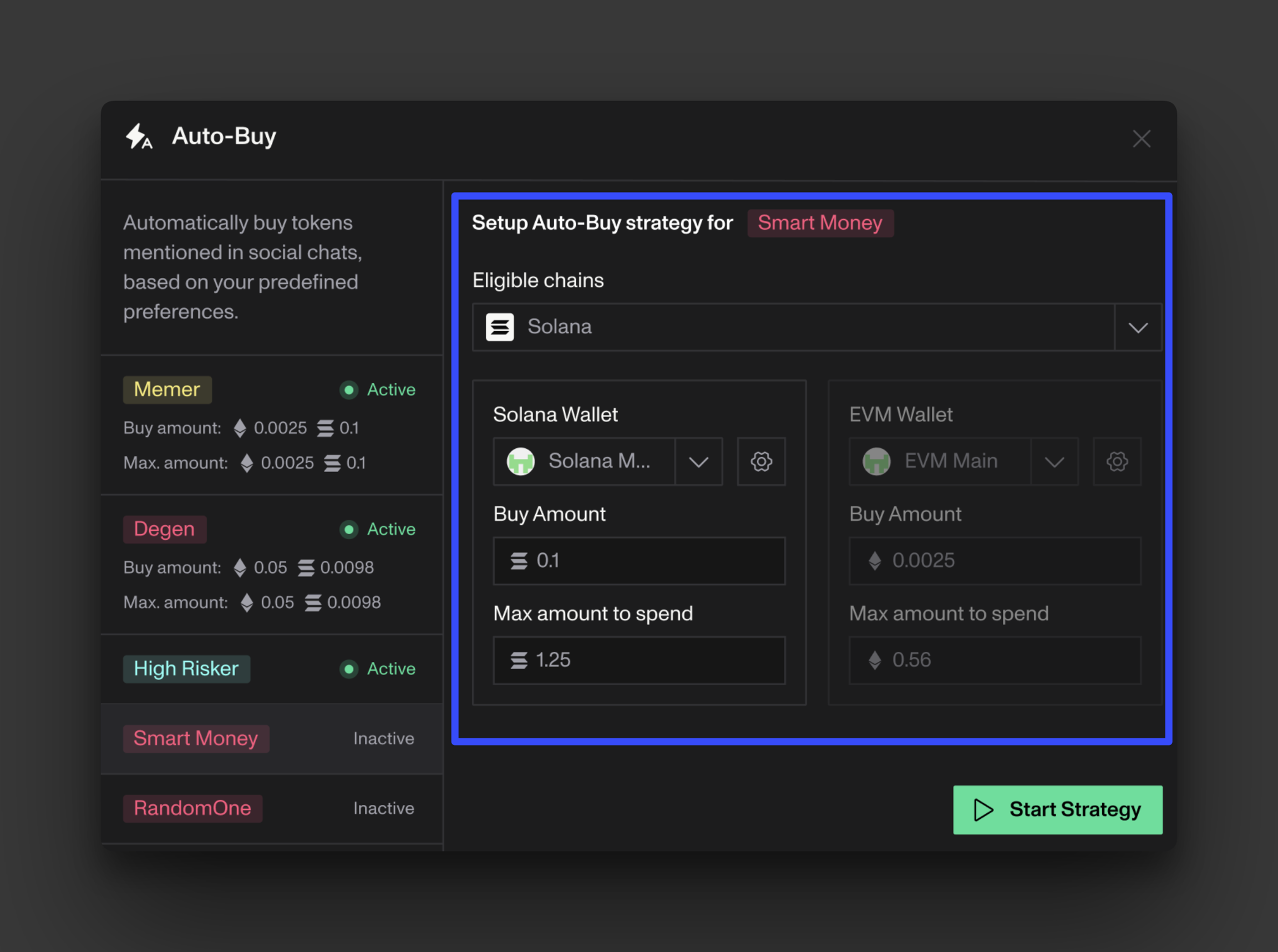
Chain selection: Choose which networks (Solana, Ethereum, Base, etc..) Auto-Buy should operate on. Contracts on other chains are ignored.
Wallets: Select one EVM and one Solana wallet for executing Auto-Buys.
Buy amounts: Set custom Auto-Buy amounts for SOL and ETH. These are independent from your general trade presets.
Max spend (optional): Define spending caps for SOL and WETH wallets. Each is managed separately.
TP/SL rules (optional): Add a global Take Profit / Stop Loss for Auto-Buys. If an auto-sell at 2x triggers first, it overrides TP/SL. Executed trades appear with TP/SL in your Open Orders table.
Token filters: Define minimum token metrics required for Auto-Buy to trigger a purchase.
Monitoring
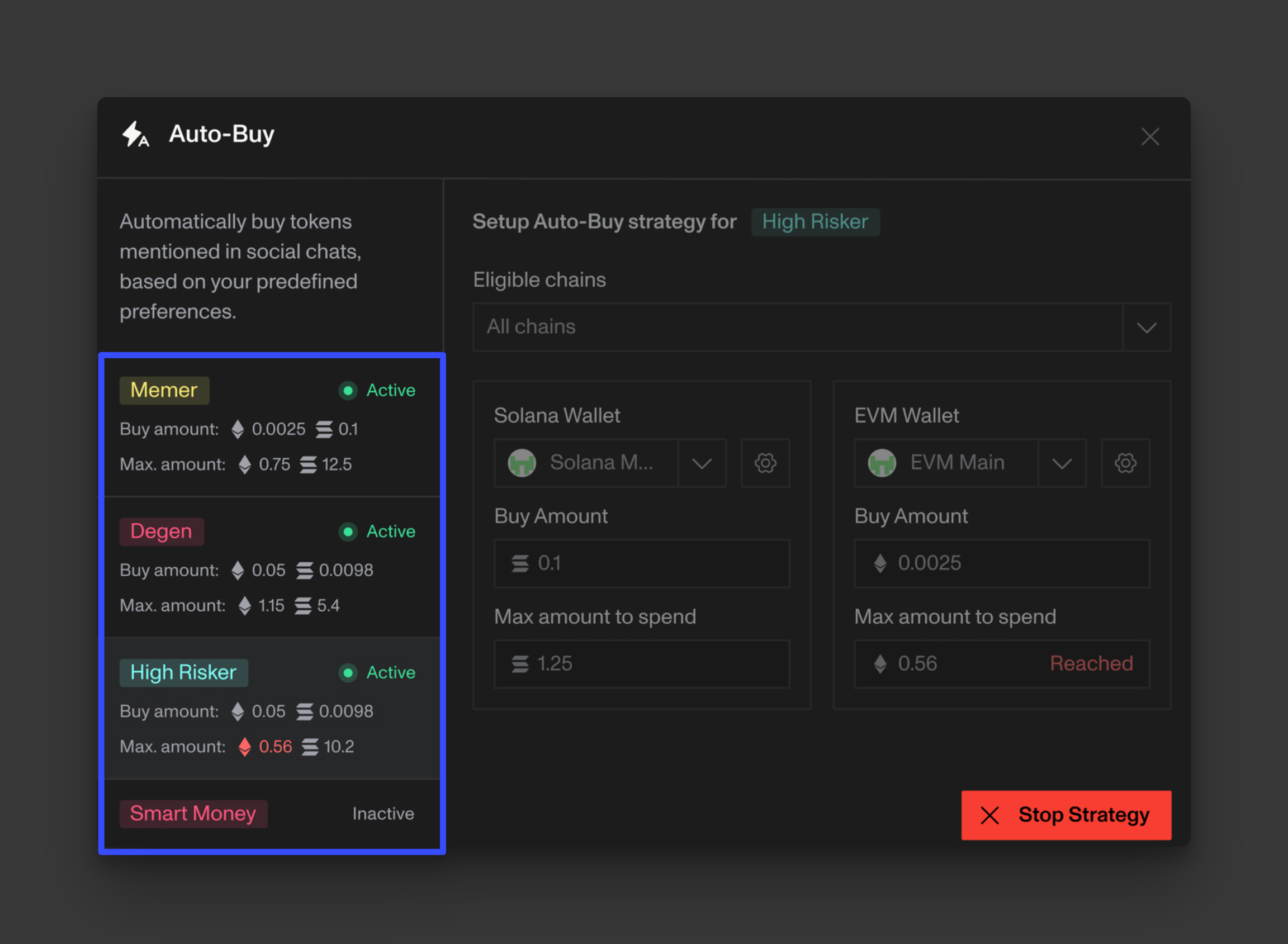
Once activated, the Auto-buy button will clearly display the number of your currently active automations:  .
.
All active automations appear on the left side of the page, with Auto-Buy amounts, max spend, and TP/SL details. If a spending cap is reached, it’s clearly indicated both in the recap panel and the strategy settings.
Notes
If a contract address appears multiple times in your Social Watch feed, Auto-Buy will skip duplicates after the first purchase.
Strategies cannot be edited while running — stop and restart to modify.
TP/SL rules for Social Watch Auto-Buys are independent from any manual or external TP/SL settings.