
Watchlist
Discover how to organize your saved tokens using OPSIN's powerful watchlist module.
The Watchlist is your personalized hub for easily tracking market sectors and save importnat tokens in custom folders.
Build your own custom watchlists to group and monitor tokens by theme, strategy, or interest — whether that’s memes, active positions, or long-term plays.
You can track performance token-by-token or view aggregated trends by watchlist, giving you a high-level overview of how each category is performing.
Watchlists will also be fully shareable. You can send curated watchlist to friends and/or your community, and they can import it directly into their OPSIN account with a single click (SOON)
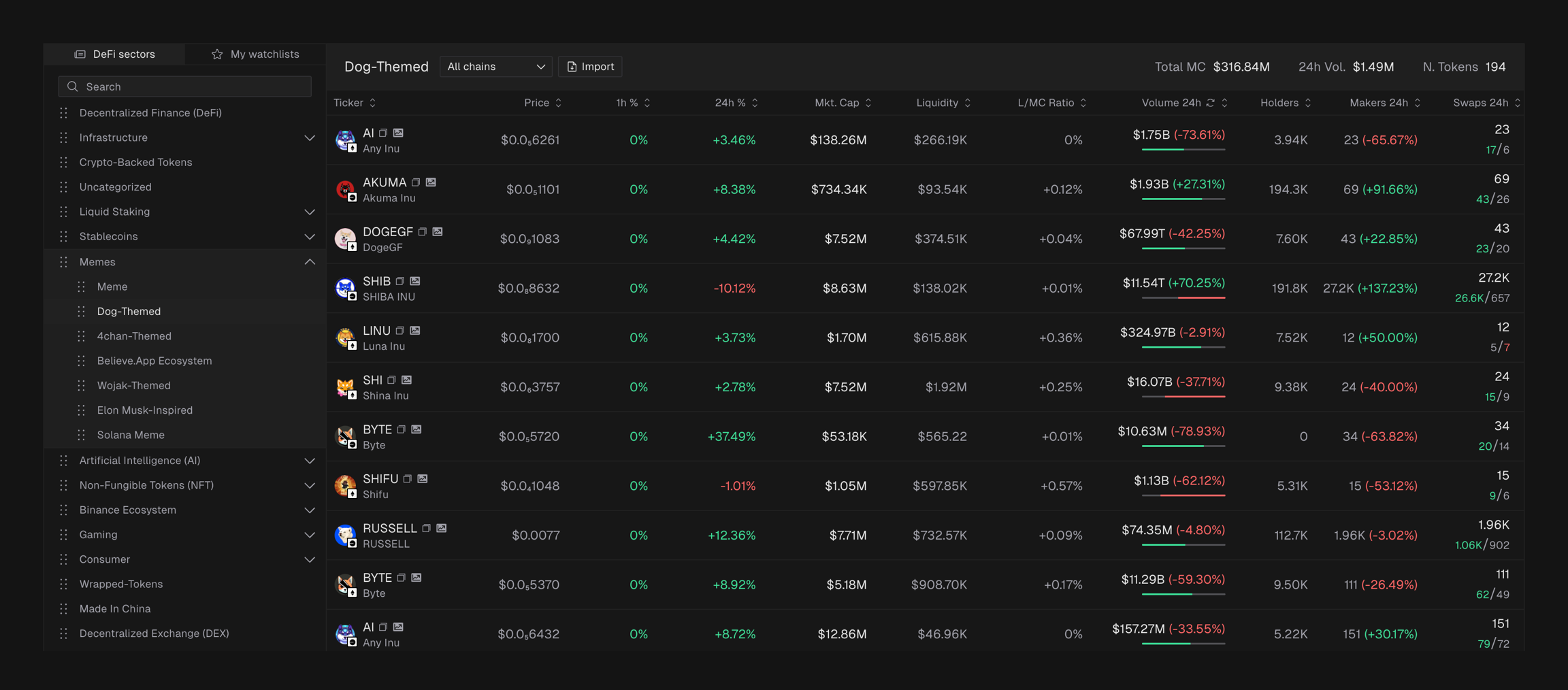
Two layers of structure
The module is split into two main components:
DeFi Sectors: Pre-built categories pulled from Coingecko, grouped thematically for fast navigation
My Watchlists: Your personal space to build, name, and customize token lists however you like
How to create a custom watchlist
You can start in two ways:
Option 1 — Duplicate from DeFi Sectors
Browse the DeFi Sectors list.
Select a sector you like and duplicate it.
Customize it by adding or removing tokens.
Option 2 — Build from Scratch
Click the ➕ icon in My Watchlists.
Enter a Watchlist Name.
Add tokens by searching for their ticker and pressing Enter.
Once your list is ready, click Confirm to save it.